
Jinja’s Garden - Controller Navigation
- How to move Jinja around the map
- How to navigate in Gardening mode
- How to navigate the Inventory panel
How to move Jinja around the map:
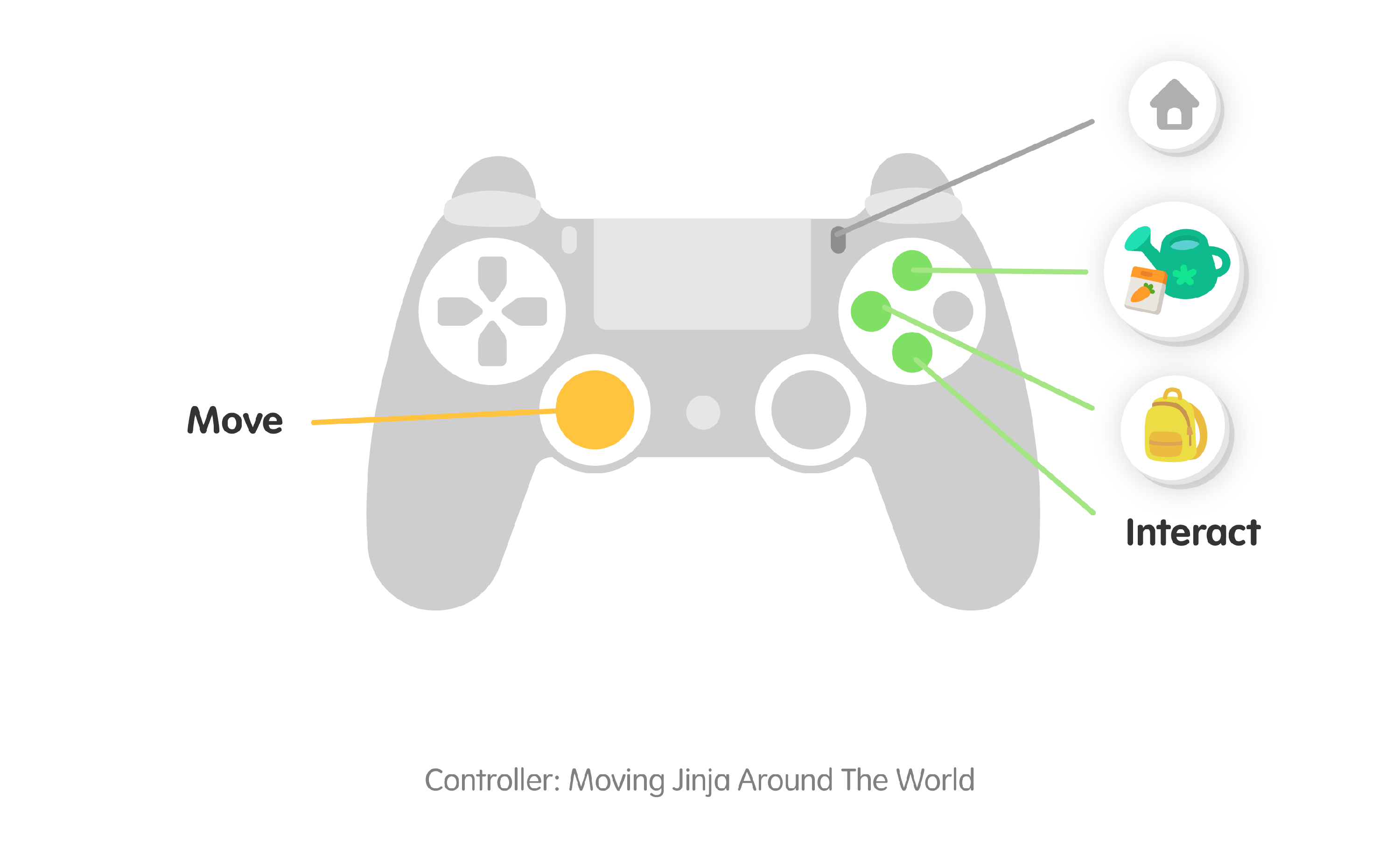
| Button | Function |
|---|---|
| Left Joystick | Move |
| Triangle / Y | Open Gardening mode |
| Square / X | Open Inventory panel |
| X / A | Interact |
| Start | Return to Home Screen |
How to navigate in Gardening mode:
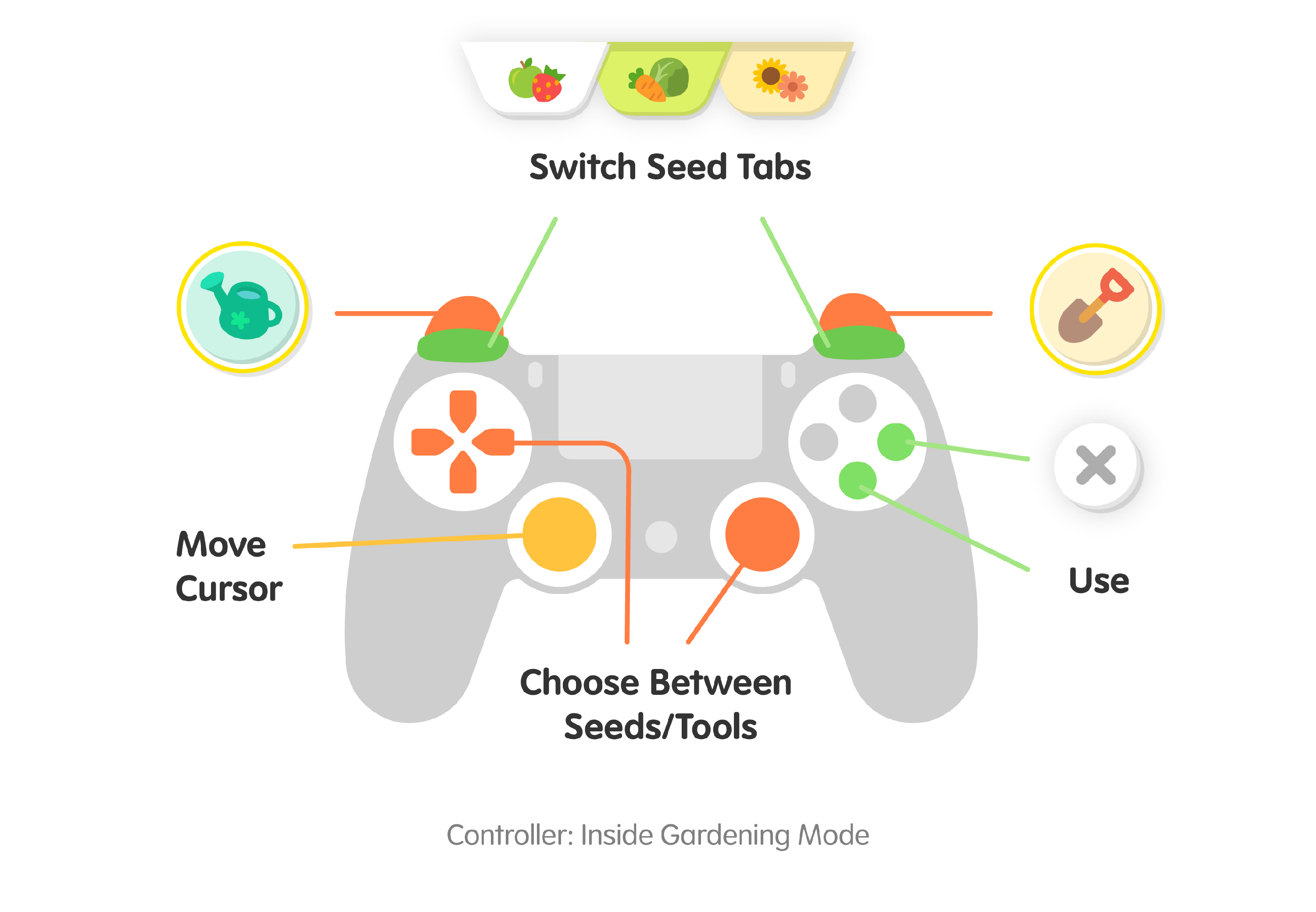
| Key / Mouse Button | Function |
|---|---|
| Left Joystick | Move cursor |
| Right Joystick / D-Pad | Cycle between items (seeds and tools) |
| L1 / R1 | Cycle between Seed tabs |
| L2 | Select watering can |
| R2 | Select shovel |
| X / A | Use item or tool |
| O / B | Exit Gardening mode |
How to navigate the Inventory panel:
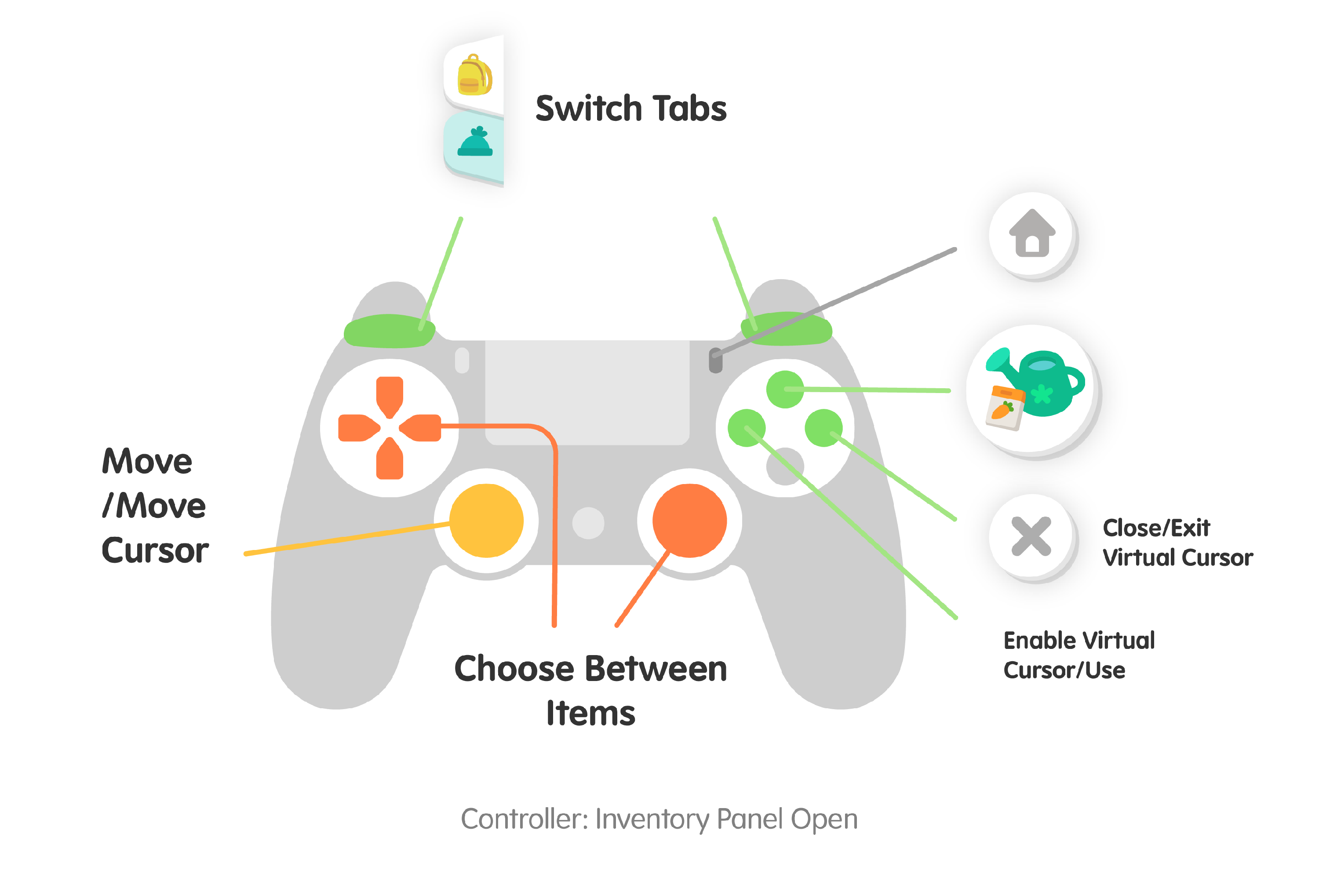
| Key / Mouse Button | Function |
|---|---|
| Left Joystick | Move / Move cursor |
| Right Joystick / D-Pad | Cycle between items |
| L1 / R1 | Cycle between item tabs |
| Square / X | Enable virtual cursor / use |
| Triangle / Y | Enter Gardening mode |
| O / B | Close Inventory / Exit Virtual cursor |
| Start | Return to Home Screen |
Still have questions? Use our Contact Us link at the bottom of the page. We’re happy to help!